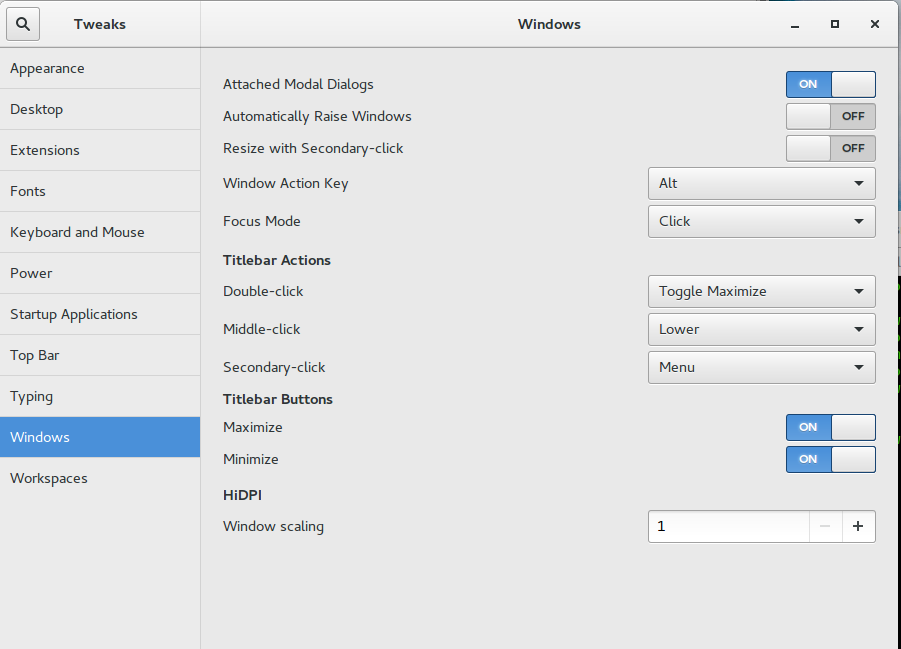
- On terminal run : gnome-tweak-tool
- In the dialog that pops up –
- Select Windows tab from the left panel.
- In the right panel under Tilebar buttons section –
- Set Maximize and Minimize to ON.

Sreekumar (KJ) has been a hobby programmer from school days. Codemarvels is his personal blog from the year 2010, where he writes about technology, philosophy, society and a bit about physics.
He now runs a conversational AI company – DheeYantra – focusing his efforts to help businesses improve operational efficiency using digital employees powered by AI.